
Automated RSVP Tracking
Track RSVPs online and set the stage for unforgettable gatherings
Every confirmed invitation brings the celebration closer. A modern online RSVP tracker helps organize replies from friends, family, or colleagues in a single space. The guest list management platform handles accurate headcounts and dietary preferences, ensuring a perfect balance between guest care and stress-free planning.
How We Make Guest List Management Simple
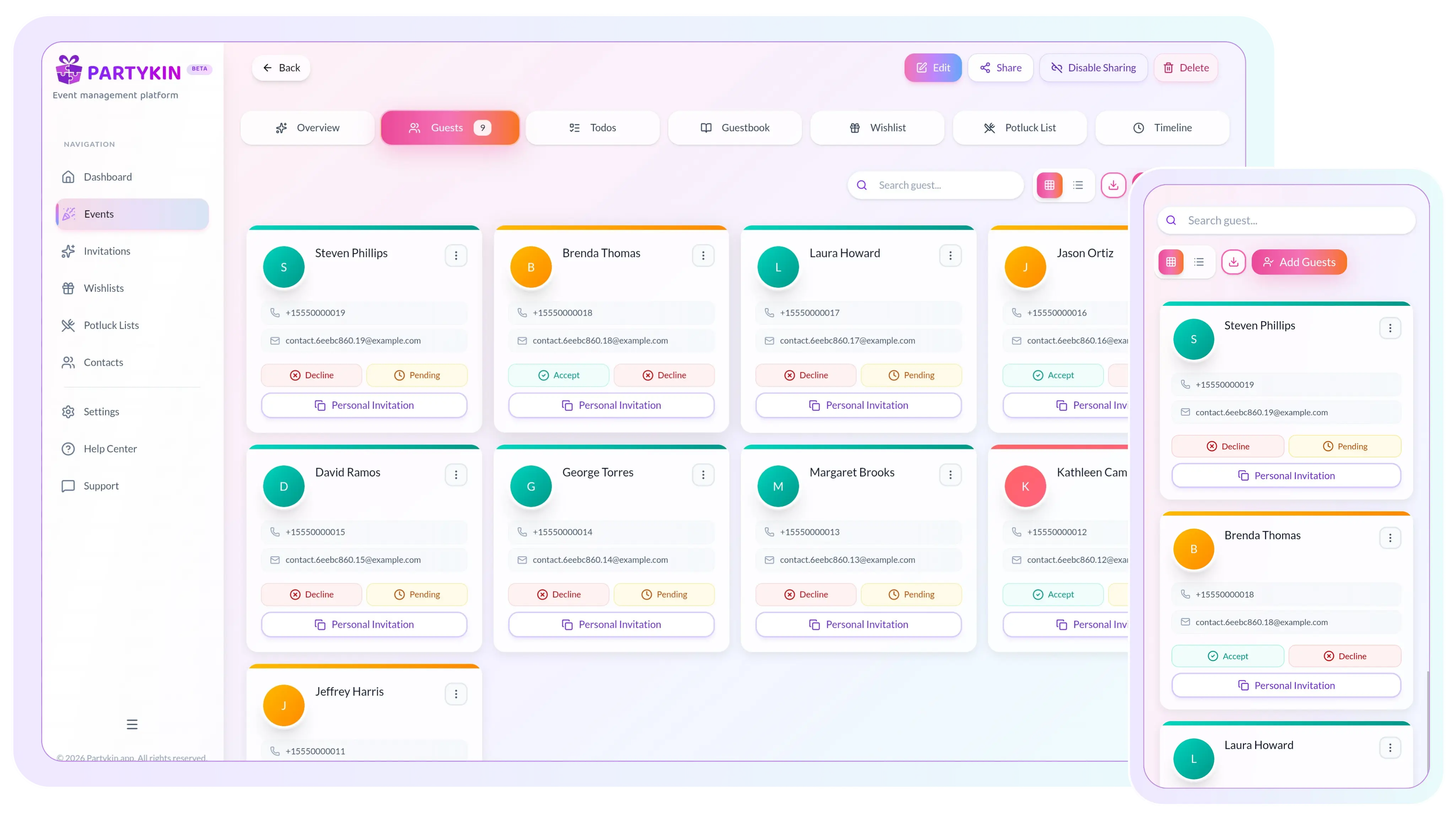
Automate response collection, control plus-ones, and export final numbers with confidence.
Guest List Management
Automate response collection
Information is gathered instantly, saving time and simplifying confirmations for everyone involved.
- Use a digital link
Share the URL via any messenger. Guests open the page and confirm attendance with one click without creating an account.
- Control event reminders
Partykin does not generate automatic spam. The host decides when to send notifications to guests, avoiding digital noise.
- Get instant updates
An invitee's status updates on the event page immediately after accepting or declining the invitation.
- Maintain privacy
Responses remain accessible only in the host dashboard. Data stays protected from search engine indexing and unauthorized access.

Plus-One Options
Manage plus-ones and companions
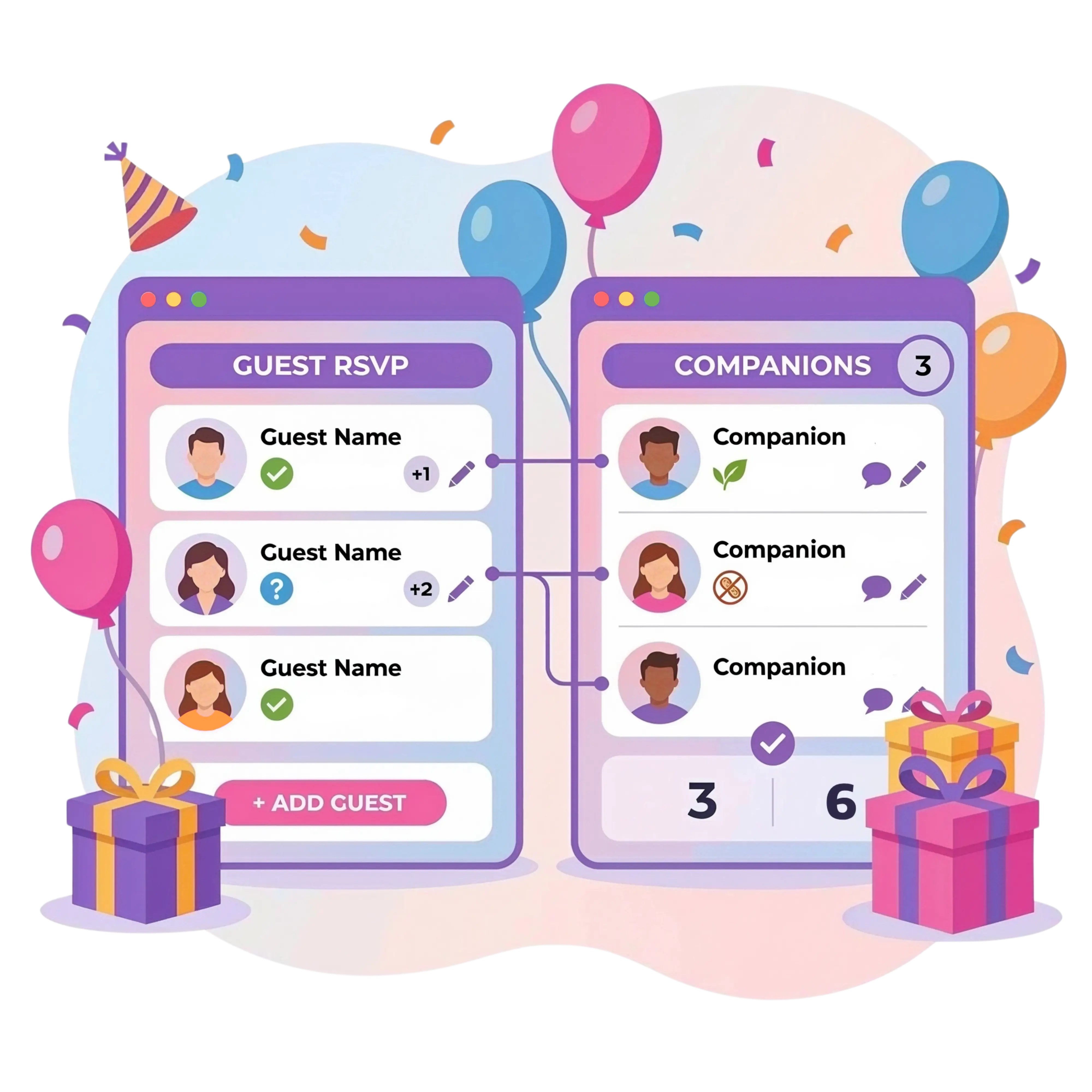
The platform automatically calculates group sizes for easier venue and banquet menu planning.
- Set plus-one limits
Establish the exact number of additional guests allowed, or disable the function entirely for intimate gatherings.
- Account for children
Guests specify the age category of companions during RSVP, ensuring accurate portion and seating calculations.
- Collect names automatically
Guests enter companion details themselves, removing the need to chase information in personal messages.
- Secure exact attendance count
Get final numbers without errors or surprises when confirming venue orders.
Registration Control & Export
Manage registration and export data
The platform provides full control over invitations and generates ready-to-use lists for vendors.
- Select access format
Create private events with a pre-approved list, or open public registration so guests can register themselves via link.
- Update verbal replies manually
If someone confirms over phone or in conversation, update status directly in the dashboard for complete counting accuracy.
- Gather dietary requirements
Receive details about allergies, diets, and restrictions from the "Report food allergies" field during RSVP.
- Export summary tables
Download final numbers and comments in one click to share structured data with restaurants and caterers.

Transform event planning into a seamless experience.
Launch a functional dashboard, manage guest RSVPs, and keep every detail under control from start to finish.
Personalized Planning Options
Explore other Partykin features

Event Card
Manage timelines, tasks, and logistics through a functional dashboard.

Online Wishlist
Create gift registries and allow reservations to avoid duplicates.

Potluck List
Distribute dishes among participants and coordinate a shared menu.

Contact Book
Store participant data and manage the contact base for quick invitations to future events.
RSVP Assistance
Frequently Asked Questions
Do guests see the list of other invitees?
No. By default, the guest list remains hidden. Responses and statuses are visible only in the host dashboard to maintain privacy.
How is adding companions (+1) forbidden?
During form setup, simply disable the "Allow companions" option. Guests will only be able to confirm attendance for themselves.
How is an "Adults-Only" format specified?
State the event format in the invitation description. Additionally, the host can disable or limit plus-ones in the RSVP settings, allowing for strict control over the guest list.
How is information about food allergies or diets collected?
The RSVP confirmation form includes a specific "Report food allergies" option. When a guest selects this and provides details, all information automatically syncs to the summary table in the dashboard.
Where are guest comments stored?
All notes and wishes consolidate in the guest list for the specific event and sync to the contact book in the dashboard. Data is accessible in the interface or via spreadsheet export for vendors.
Does guest data save after registering for a public event?
Yes. The system automatically records info for every guest who registers for a public event via an open link. Data is added to the event list and the contact book for future interaction.
Does the platform send automated reminders to guests?
No, the system does not send automatic notifications. The host maintains full control and can choose to send reminders specifically to guests with a "Pending" status.
What happens if a guest opens the invitation but hasn't replied?
These guests appear in the host dashboard with a "Pending" status. A few days before the final deadline, the host can easily send them a personal reminder through any convenient communication channel.
What is the difference between online RSVPs and paper cards?
A digital form collects responses instantly and calculates final headcounts automatically. This completely eliminates the need to wait for mail and manually transfer information into spreadsheets.
Transform event planning into a seamless experience.
Launch a functional dashboard, manage guest RSVPs, and keep every detail under control from start to finish.